
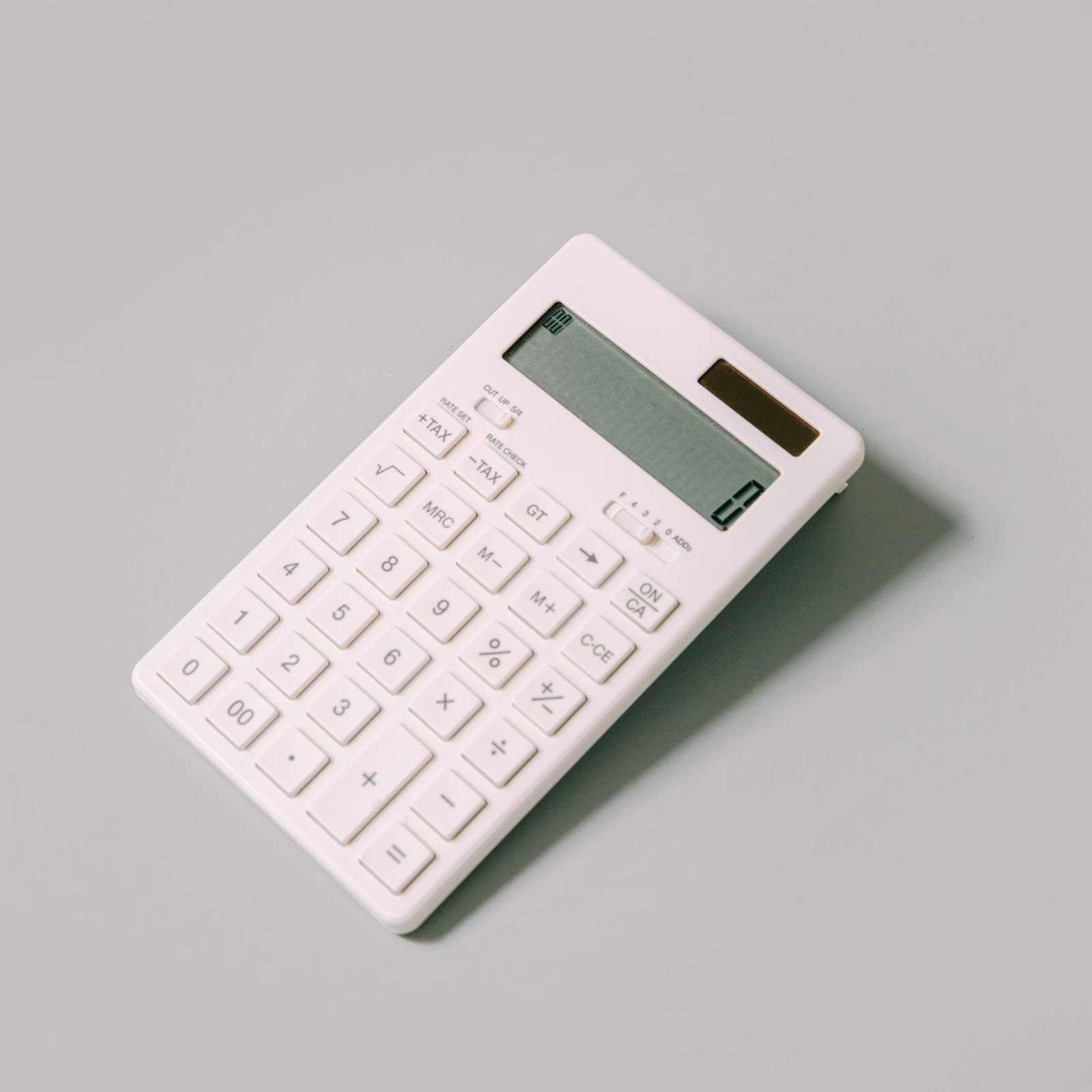
The Innovera 15927 desktop calculator dual power model is an office calculator designed for everyday arithmetic. Product listings identify it as an eight-digit LCD desktop calculator with both solar and battery power. Its angled display is intended to make figures easier to read at a desk, while keys for square root, sign change and percentage cover common calculations used in offices, shops and home workspaces.
This guide explains the model’s documented features, what dual power means in practice, which tasks it is suitable for and what to verify before ordering. Product specifications can vary between retailer pages or change with supplier stock, so check the exact model number IVR15927 and the seller’s current listing before purchase.
At a Glance: What the Model Offers
Retailer specifications identify the Innovera 15927 as a desktop calculator with an eight-digit LCD display, an angled viewing position and dual solar/battery power. Listed functions include a percent key, a plus/minus sign-change key and square root. One supplier also lists four-key memory. These are practical functions for routine calculations without the complexity of a scientific or financial calculator.
The model is designed for desk use rather than pocket carry. Its footprint gives the user a larger keypad and a stable base compared with a small handheld calculator. That can be helpful for repeated calculations during invoicing, stock counts, expense checks and general office work. The right choice still depends on whether eight digits and the available function keys meet the demands of your work.
Eight-Digit LCD Display
An eight-digit display can show common totals, prices and everyday arithmetic results within its digit limit. For basic office work, that can be enough for adding quantities, calculating percentage amounts and checking invoices. A desktop calculator’s display angle can also make the result easier to read while the user remains seated or works with paper documents.
Before buying, consider the size of the displayed digits and the lighting where you plan to use the calculator. Listings report an angled display and a display character height around 15 millimetres. The screen is still an eight-digit LCD, not a large accounting display with extra lines. If your work often involves long numbers, multiple stored values or a need to view an expression and result together, a more advanced model may be preferable.
What Dual Power Means
Dual power means the calculator can use light through its solar panel and also has a battery source. Retail listings identify an AAA battery as included. Solar assistance can reduce battery dependence in a well-lit work area, while battery power helps keep the calculator usable when lighting is weaker. The combination is convenient for a device that stays on a desk throughout the day.
Do not assume that the solar panel makes the calculator permanently maintenance-free. Battery life depends on the cell type, quality, usage and storage. If the display becomes faint or the unit behaves inconsistently, check the battery specification and replacement instructions. Remove a leaking or damaged battery promptly and follow safe battery-disposal guidance for your location. Keep the solar panel clean and avoid blocking it with paperwork.
Everyday Calculation Functions
The square-root key is useful for basic mathematical tasks such as finding a square root after entering a number. The plus/minus key changes the sign of a value, which can be helpful when working with negative amounts or differences. The percent key can assist with percentage calculations such as discounts, tax estimates or percentage changes, although the exact key sequence should be confirmed in the manual because calculators can handle percentage operations differently.
Retail listings also identify four-key memory. Memory functions can store a value temporarily while you perform other calculations. For example, a shop worker may store a subtotal and then calculate several separate amounts before recalling the stored figure. Learn the memory-clear and recall operations before relying on them in important calculations. A stored value left over from an earlier task can create confusion if the memory is not cleared.
What the Calculator Is Not Designed For
The Innovera 15927 is described as an everyday desktop calculator, not a specialist financial calculator or a scientific graphing device. One product listing notes that functions such as amortization and bond calculations are not included. Buyers who regularly work with loans, cash-flow schedules, statistical analysis, engineering notation or complex formulas should compare a dedicated model with the required functions.
It is also not a substitute for accounting software or a spreadsheet when calculations need an audit trail, multiple tax rates, inventory records or repeatable reports. A desktop calculator is best used for fast arithmetic and manual checks. For business-critical figures, record the inputs and calculation method in the appropriate system so that another person can verify the result.
Dimensions and Desk Footprint
Retail specifications report dimensions of approximately 5.42 × 4.39 × 1.15 inches. This makes the unit a relatively compact desktop device while leaving space for a keypad and display. Compare these measurements with the free area on your counter or workstation. If the calculator will sit beside a keyboard, receipt printer or point-of-sale terminal, make sure it does not obstruct access to the other equipment.
Also consider the surface on which it will be used. A stable, flat desk makes the keypad easier to operate, especially when entering several figures in a row. A calculator that slides around a smooth counter can slow down work. Check the underside for feet or other grip features when the actual unit arrives.
How It Fits a Small Business or Office
For a small office, the calculator can handle quick checks such as adding expense lines, comparing invoice amounts, estimating percentage discounts and calculating simple totals. In a retail setting, a desktop model can remain beside the cash register or order book for occasional calculations. Its dual-power arrangement is useful when the desk lighting changes during the day.
In a classroom or home study area, the eight-digit display and basic function set can support everyday arithmetic practice. However, schools and examination boards may have rules about approved calculator types. Students should check the permitted model list before bringing a calculator into an exam. A calculator being suitable for general learning does not automatically mean it is allowed in a particular assessment.
Using the Percent Key Correctly
Percentage keys are convenient, but calculator behavior is not always intuitive across models. To calculate a discount, users may enter a price and percentage in a familiar sequence, but the exact steps can vary by calculator logic. Practice with a small, easy example and verify the answer manually before using the function for customer pricing or financial records.
For example, if an item costs $80 and a 10% reduction applies, the reduction is $8 and the price after discount is $72. You can independently check that result by multiplying 80 by 0.90. This second method is useful when a calculator’s percentage behavior is unfamiliar or when a result is important enough to verify.
Battery and Solar Care
Keep the calculator away from excessive heat, liquid spills and dust. Clean the keypad and screen with a soft, lightly damp cloth only when the unit is powered down and the manufacturer’s care instructions allow it. Do not spray cleaner directly onto the display or allow moisture to enter around the keys. A clean solar area helps the light sensor receive illumination.
If you store the calculator for a long period, check the battery condition periodically. Batteries can leak when left in devices for extended periods, particularly when depleted or exposed to unsuitable conditions. If the display is blank, check the battery orientation and confirm that the workspace has enough light for solar operation. Consult the instructions before opening the housing or attempting repairs.
Warranty and Product Availability
One supplier listing states a manufacturer’s limited one-year warranty, while product availability and pricing may differ between distributors. Verify the warranty on the exact seller page and ask whether it applies to your country, the date of purchase and the serial or item number. Keep the invoice and packaging until you have confirmed the unit operates correctly.
Retail product pages can remain online after an item is no longer regularly stocked, while other distributors may still show inventory. Do not assume that a page marked “available” guarantees immediate dispatch. Confirm stock, delivery time, return policy and whether the seller accepts returns on opened office electronics.
How to Choose Between This and Other Desktop Calculators
Compare calculators by display size, digit count, memory functions, power source, keypad layout and the calculations you actually perform. A 10- or 12-digit display may be preferable if you regularly handle larger totals. A model with tax keys or a grand-total function may be more convenient for a cash desk. A scientific calculator is more appropriate for advanced coursework, while a financial model may be better for loan and investment calculations.
Also test the key feel. The spacing and feedback of the keypad matter when a worker enters many figures throughout the day. If possible, try a similar calculator in a shop before buying. Compare the actual cost of ownership, including replacement batteries and warranty coverage, rather than focusing only on the initial price.
Common Buying Mistakes to Avoid
One common mistake is ordering a calculator based on a product name without checking its item number. Innovera’s model identifiers can look similar, and retailers sometimes shorten titles. Confirm that the listing states 15927 or IVR15927 and that the specifications correspond to an eight-digit dual-power model.
Another mistake is expecting a desktop calculator to perform functions that are not listed. Do not assume it includes tax-rate programming, currency conversion, amortization, backspace correction, printing or formula memory. If a feature matters to your workflow, find it in the technical specification or manual before ordering. A clear list of requirements prevents disappointment and return costs.
Frequently Asked Questions
Does the Innovera 15927 use solar power?
Yes. Retail specifications describe dual solar and battery power, with an AAA battery listed as included by sellers.
How many digits can it display?
The model is listed with an eight-digit LCD display. Check whether that is enough for the figures used in your work.
Does it have a square-root key?
Yes. Product descriptions list square root, a plus/minus sign key and a percent key among its functions.
Is it suitable for business bookkeeping?
It can help with quick arithmetic and checking totals, but it does not replace bookkeeping software, an audit trail or a specialist financial calculator.
What battery does it use?
Retail listings specify an AAA battery and dual solar/battery operation. Confirm the current packaging and instructions supplied by the seller.
Is the display large?
Listings describe an angled LCD with display characters around 15 millimetres high. Compare that measurement with your preferred viewing distance.
Conclusion
The Innovera 15927 is a straightforward desktop calculator for everyday arithmetic, with an eight-digit LCD, angled display, solar and AAA battery power, square-root, sign-change and percent functions, plus memory keys listed by suppliers. It is a practical option when you need a stable desk calculator rather than an advanced scientific or financial device. Verify the IVR15927 model number, warranty, stock status and exact specifications with the retailer before ordering. For example, supplier specifications are listed by Guernsey’s IVR15927 product page.
